


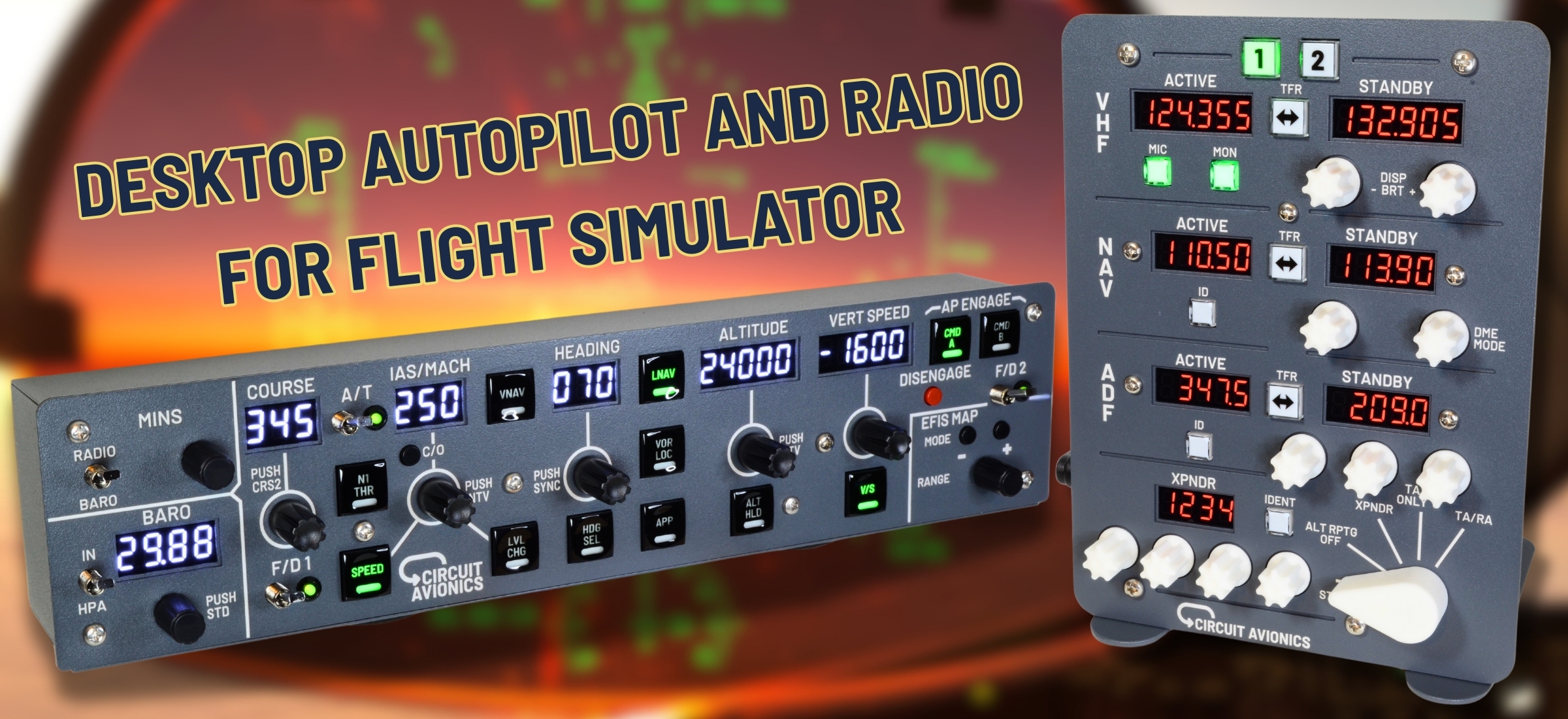
PROGRAMMABLE HARDWARE - READY-MADE PROFILES FOR DEFAULT AIRCRAFT AND MANY ADD-ONS
Latest Updates from Circuit Avionics



Featured Video: Radio Stack + Transponder
- Customer Review and Full Flight
Thanks to our customer Almost Aviation for producing and sharing this in-depth video.
Watch as they take the Radio Stack + Transponder through a full VFR flight, with ATC provided by SayIntentions.ai
Featured Video: Universal Desktop Autopilot with EFIS Functions
- Product Demo with Boeing 737
A short flight we made showcasing the Autopilot and EFIS Features
Autopilot is not limited to Boeing; it can be used seamlessly with general aviation, Airbus, and a wide range of aircraft.
Featured Video: COMBI PACK - Autopilot and Radio
- Customer Unboxing Video
Thanks to our customer Trevs Shed for producing and sharing this unboxing video.
See also Tiktokers 1efendy1 .
We offer a discount for a Combi Pack purchase!
Available Now: Order Yours Today
Option 1: Direct Purchase (faster shipping)
Worldwide shipping is available. All taxes, customs charges and fees are included in the price you pay.
If your country is not listed as a shipping destination, please contact us for a competitive rate.
Coupon Codes: The price will be correctly calculated once you enter the shipping address.


Option 2:

Worldwide shipping is available. All customs charges and fees are included in the final price.
This is a promotional link for which we may receive a small commission from eBay.
What makes Circuit Avionics products special?
Versatile - Our hardware is intended for most aircraft types on all major platforms
- Download an Aircraft Profile to configure the device for your aircraft - whether that's one of the stock aircraft, or a complex add-on
Programmable - You have control over all the functions
- From adjusting a single display or knob, to creating a whole new Aircraft Profile - that's completely within your grasp! We use the powerful, open-source MobiFlight software to make all this possible
Quality - sturdy steel construction and powder coated finish
- You'll appreciate the adjustable brightness displays with glare filter, long-life mechanical components, detented knobs that give tactile feedback, anti-slip feet for your desktop... and much more
Support - Help that's personal to you
- We combine online resources with responsive one-on-one support by email, telephone or screen-share to keep you flying smoothly. Our Discord channel is a great way to reach out for help.
